The Ultimate Application Deployment Platform
Deploy any type of application with our straightforward deployment tool. Benefit from multiple build types, Docker Compose support, and our native Git integration.
Professional features for every developer
Take advantage of flexible features that empower everyone, no matter your build strategy or the size of your team.
Support for multiple languages
Deploy apps written in Node, PHP, Python, Go, Ruby, and more. Dokploy does not restrict programming languages.
Deploy any app with any stack
Dokploy supports single services, multi-service apps, and static sites. Deploy from Git, a container registry, or Docker Compose.
Your build, your way
Choose Nixpacks, Buildpacks, or a Dockerfile. Switch strategies per project without reworking your pipeline.
Deploy the apps your teams are already building with AI
AI coding tools are changing how applications get written. Dokploy handles the deployment side, from AI-generated code to a live URL, powered by your existing workflows.
Anyone can deploy
Once Dokploy is set up, non-technical users can take code from an AI tool to a running app without engineering support.
Isolated team environments
Multitenancy keeps every team's projects and data separate. AI experimentation stays contained.
AI agents via MCP
Dokploy's MCP server lets AI agents trigger deployments, query app state, and manage services without a custom integration.
Built-in governance
SSO, audit logs, IP allowlisting, and rollback in seconds. Speed from AI tools doesn't have to come at the cost of control.
Need a governed environment for AI tools?
See how Dokploy handles sandboxed deploys, non-technical users, and enterprise security for AI-built apps.
Ship from GitHub, Bitbucket, and more
Connect a repo from any popular version control system and deploy on push with webhooks. We support GitHub, GitLab, Gitea, Bitbucket, Docker registries, and generic Git providers. Control exactly what changes trigger a release, including monorepos.
Automate deployments and test changes
Keep application deployments hands-off, while still staying in control of what ships and when.
Use webhooks to auto-deploy
Trigger deployments automatically on every git push from GitHub, GitLab, Bitbucket, or Gitea.
Test changes before they go live
Spin up isolated preview environments to test applications before they reach production.
Set up automated watch paths
Monitor directories or files for changes and trigger actions when they're modified.
Host Dokploy where your business needs it
Choose a deployment option that suits your business–on your infrastructure or ours. Dokploy runs on major Linux operating systems.
On-Premise Deployment
- Complete data sovereignty
- Maximum security control
- Compliance with strict regulations
- No external dependencies
Cloud Deployment
- Rapid scaling capabilities
- Reduced infrastructure overhead
- Global availability
- Managed infrastructure
Deploy your app in a few simple steps with Dokploy
Getting web applications from code to a live URL takes minutes, not days. Here are the 5 steps in the deployment process:
1. Set up Dokploy
Run one command to install Dokploy on your VPS, or create a Dokploy Cloud account and skip server maintenance entirely.
$curl -sSL https://dokploy.com/install.sh | sh2. Connect a server
A self-hosted install is ready to deploy to straight away, and you can add remote servers over SSH. On the Dokploy Cloud platform, connect the server you want to deploy to in a few clicks.
3. Create a project and add your application
Point it at a Git repository, a Docker image, or a Docker Compose file, then choose the branch you want to ship from.
4. Configure the build
Pick Nixpacks, Buildpacks, or a Dockerfile, add your environment variables, and generate a domain with automatic HTTPS.
5. Deploy and monitor
Click deploy and watch the logs in real time. Turn on auto-deploy to ship on every push, and roll back if a release misbehaves.
Hundreds of templates to get started
Deploy popular open-source apps in one click with Dokploy Templates, a ready-to-run library of pre-configured apps you can deploy fast, without rebuilding the same stack from scratch.
Everything you need in a deployment platform
Dokploy is the software deployment platform for shipping anything from a single service to a full multi-container stack.
Automate deployments with CI/CD
Build and publish applications in any continuous integration, continuous delivery (or continuous deployment) pipeline.
Configuration-first setup
Use configuration files to maintain consistency in setup, configuration, and build across teams.
Rollback capabilities built in
Rollback capabilities help teams recover quickly when new features impact production.
Single dashboard with analytics
Manage deployment tools, environments, infrastructure, and analytics from a single dashboard as you scale.
Simplify infrastructure management
Manage your servers and cloud resources across cloud providers from one place.
Automation beyond deployments
Run cron jobs to automate recurring tasks for apps, services, and data workflows.
What is an application deployment tool?
An application deployment tool automates the process of getting software from a code repository to a running service. Instead of copying files to servers and configuring everything by hand, teams push code and let the tool handle builds, releases, and the underlying infrastructure. Dokploy covers that whole workflow, from your version control system to monitoring and rollbacks, in one dashboard.
Deployment environments and strategies
Use deployment strategies that keep you shipping safely across the whole development lifecycle, from first commit to production environments.
Multiple environments per project
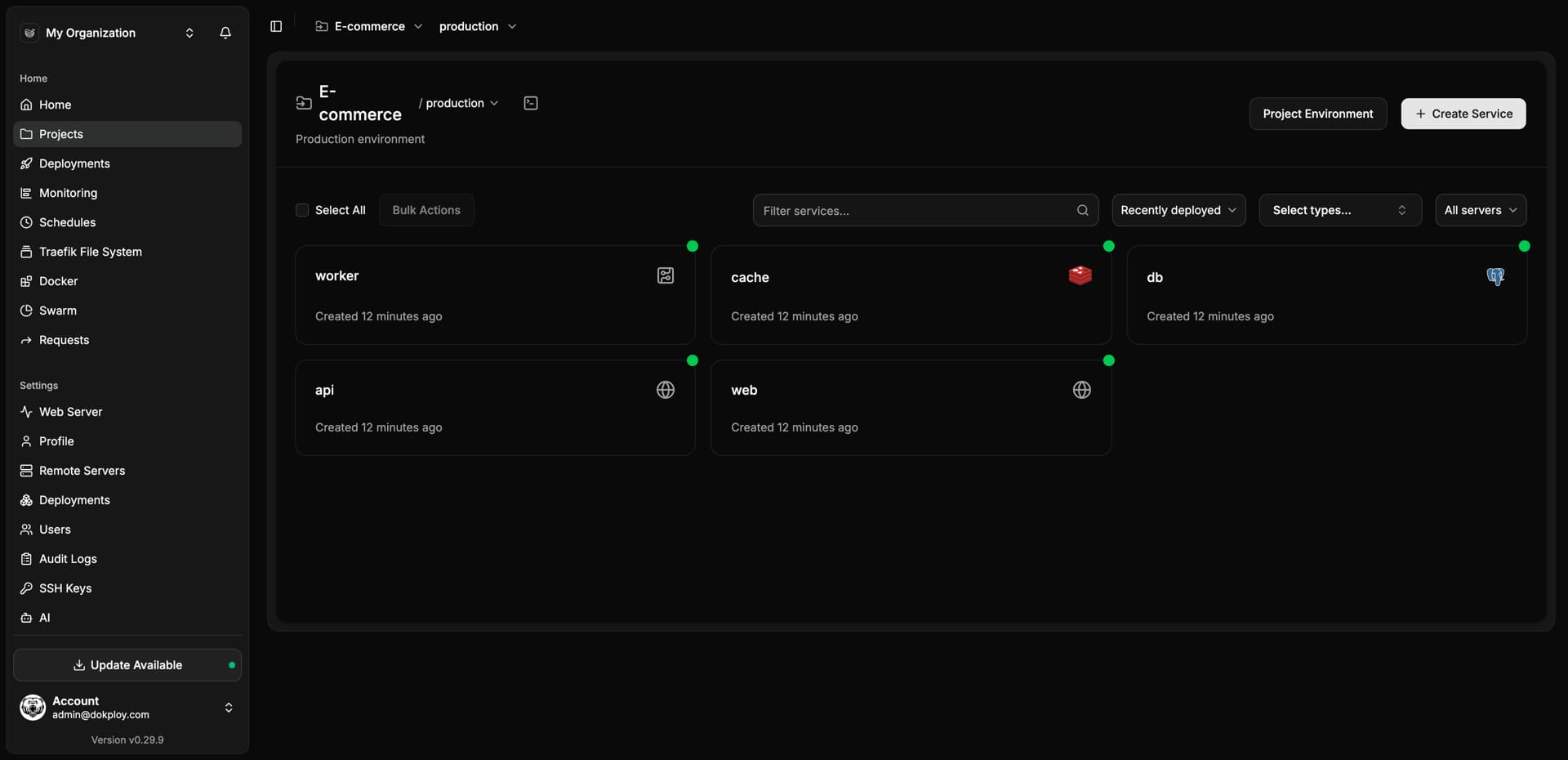
Every project starts with a production environment. Add staging and development environments to keep work separated without duplicating projects.
Preview environments
Open a pull request on GitHub and test it in an isolated preview deployment before changes reach your users.
Environment-specific configurations
Set different variables for different environments, with shared project-level variables so you never repeat yourself.
Clone environments in one click
Duplicate an existing environment, services included, to spin up a staging setup that mirrors production.
Zero-downtime releases
Health checks confirm a new version is ready before traffic switches over, so users never see a broken deploy.
Recover in seconds
Keep previous releases on hand, with automated rollback options to recover when a code change misbehaves in production.
Application deployment FAQs
Unlock Your Deployment Potential with Dokploy Cloud
Say goodbye to infrastructure hassles—Dokploy Cloud handles it all. Effortlessly deploy, manage Docker containers, and secure your traffic with Traefik. Focus on building, we'll handle the rest.
Create an account